

AI Document Workflow Automation for Q4 Backlogs: Claims, Forms, Contracts, and Reports
- Why do document backlogs grow before year-end?
- Which documents are good candidates for AI automation?
- Why OCR alone is not enough
- How AI document workflow automation works in practice
- How to prioritize document workflows
- Human review and exception handling
- Measuring the value of document backlog automation
- Make Q4 backlogs part of next year's automation planning
As the year draws to a close, document-heavy teams often find themselves dealing with more unfinished work than expected. Claims are waiting for supporting records, intake forms need corrections, contracts remain in approval queues, and reports have to be finalized before the next planning cycle begins.
For healthcare, insurance, and legal organizations, these backlogs can affect much more than administrative efficiency. Missing documents delay decisions, incomplete records create additional follow-ups, and employees spend hours checking information across different systems.
Q4 is a useful time to identify where these delays originate and which processes might benefit from AI document workflow automation. Instead of introducing another tool to process paperwork faster, organizations can examine how documents move through their operations and where automation could reduce the manual effort involved.
The challenge is deciding which workflows are worth improving first, especially when different document types require different levels of accuracy, review, and human judgment.
Why do document backlogs grow before year-end?
Document backlogs usually develop gradually. An insurance team receives more supporting files than employees can review. A healthcare billing department waits for missing documentation before submitting claims. Legal teams deal with contract renewals, while compliance departments collect certificates and reports from several business units.
During Q4, calendar-year reporting, renewals, reconciliation, and planning deadlines can make existing problems more visible. Teams may have to close outstanding cases while continuing to handle new requests.
The delays often come from the work surrounding the documents rather than the documents themselves. Staff need to identify file types, verify information, locate missing attachments, update records, and notify the next person responsible for the case. If the workflow relies on several disconnected systems, even routine processing can take longer than expected.
Before investing in automation, operations leaders should understand whether their backlog is caused by document volume, manual data entry, inconsistent information, slow approvals, or unclear ownership. These problems may require different solutions.
Which documents are good candidates for AI automation?
Not every document-heavy process needs AI, and some tasks are better handled through traditional software or clearer operational rules. However, workflows involving frequent classification, extraction, validation, and routing can be strong candidates for AI document processing.
Claims and supporting documentation are one example. Healthcare and insurance teams often need to match incoming files with existing cases, verify identifiers, and check whether required attachments are present. AI can help organize documents, extract relevant fields, and flag missing information before employees review the case. Coverage, clinical, and payment decisions still require appropriate controls and human oversight.
Forms and intake documents present a slightly different challenge. Submissions may arrive as digital PDFs, scanned copies, or inconsistent templates. AI can help identify document types, extract information, and highlight incomplete fields, reducing the time employees spend preparing cases for the next step.
Contracts and certificates can also benefit from automated preparation. AI may locate renewal dates, identify contractual parties, extract key provisions, or flag potential discrepancies against predefined requirements. Legal interpretation and consequential approval decisions should remain with qualified reviewers.
Reports and recurring documentation are another opportunity, especially near reporting deadlines. AI can organize supporting materials, summarize information from approved sources, and identify missing details before the report enters the approval process.
Across these examples, the greatest value often comes from helping employees process routine information faster while preserving human judgment where it matters.
Why OCR alone is not enough
Optical character recognition (OCR) has long been used to convert scanned documents and images into machine-readable text. It remains useful, but recognizing the text does not necessarily complete the work.
Consider a scanned claims attachment. OCR may successfully extract a patient identifier, service date, and other information. Someone may still need to determine which claim the document belongs to, whether the information matches existing records, and what action should follow.
AI document processing can extend beyond text extraction by supporting classification, identifying relevant fields, comparing information against approved sources, and preparing documents for review.
A complete workflow may combine OCR, AI, validation rules, and system integrations. For example, an incoming form could be scanned, classified, checked for missing fields, and routed to the appropriate queue. If information is incomplete or uncertain, the document will be sent for human review.
The benefit comes from reducing the manual work between receiving a document and completing the next operational step.
How AI document workflow automation works in practice
An effective document automation system needs to account for the entire process, including what happens after information is extracted.
Imagine a healthcare operations team processing intake forms and supporting documents. Today, employees may download files from different channels, identify each document, check required fields, locate the correct record, and forward the case for review.
With an integrated workflow, documents could be collected through approved channels and automatically organized by type. AI would prepare relevant information, validation rules would flag missing or inconsistent fields, and employees would receive cases that need their attention.
Once reviewed, the results could move into the appropriate operational system without requiring another round of manual copying or status updates.
The same approach can support claims documentation, insurance forms, contract processing, and recurring reports. The details vary, but the underlying objective is similar: reduce repetitive preparation work and make handoffs between systems and teams more reliable.
For organizations dealing with fragmented document processes, AI automation services can help connect document processing with existing tools, define review requirements, and design automation around the actual workflow.
How to prioritize document workflows
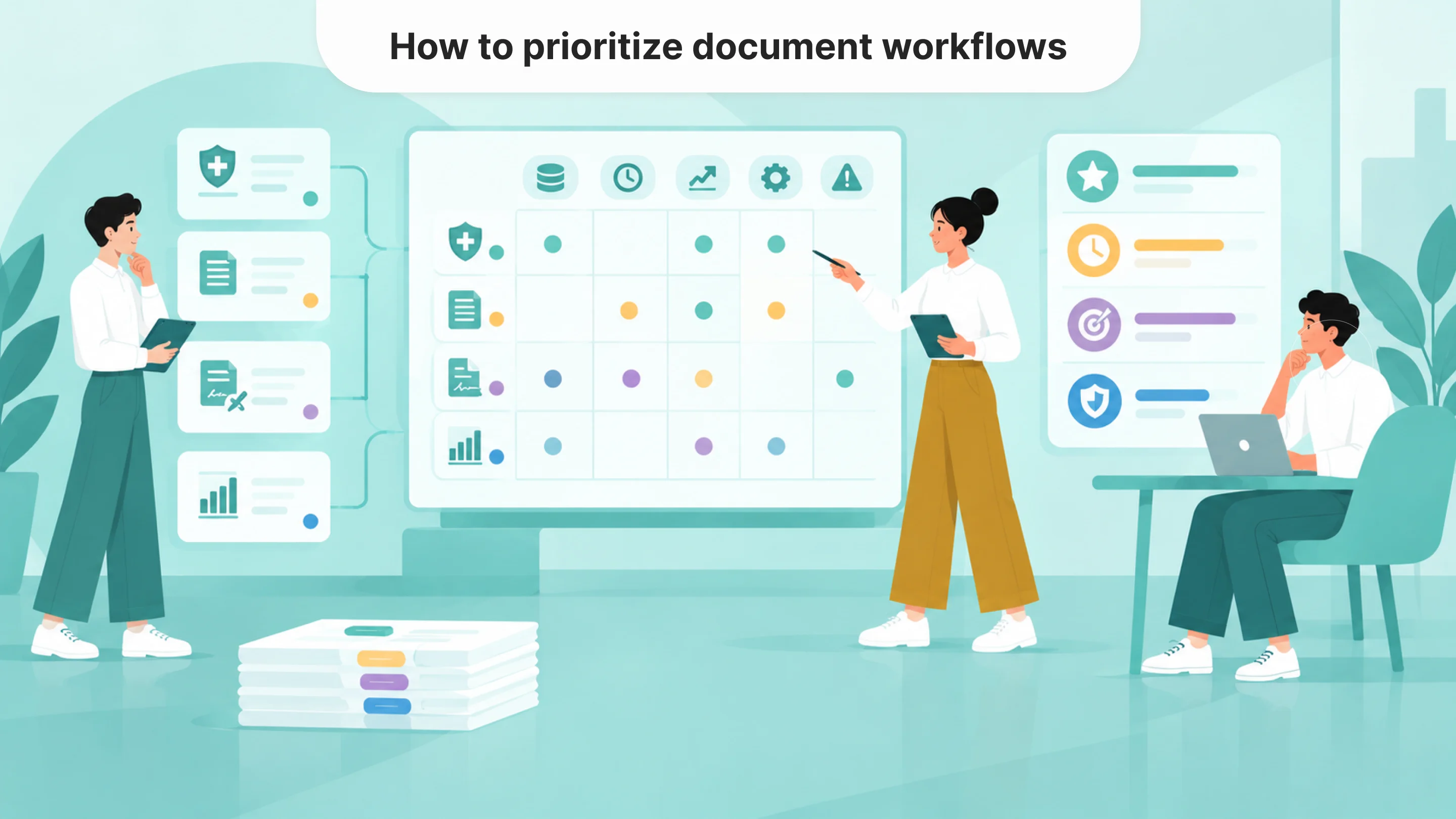
A growing backlog does not automatically mean every document process deserves automation. Operations leaders need to compare potential projects based on their value, feasibility, and risk.
Processing volume is a useful starting point, but it should be considered alongside the time employees spend handling each document. A high-volume workflow with consistent forms and clear rules may be easier to automate than a smaller queue containing highly variable, complex records.
Business impact matters too. Delays in claims documentation, patient intake, contract approvals, or required reporting can affect revenue, service delivery, and compliance. These workflows may deserve attention even when their document volume is relatively modest.
Feasibility depends on several practical conditions, including document quality, available data, integration requirements, and whether the process already follows consistent rules. Risk determines how much human review and monitoring the system will require.
The most attractive project is not necessarily the largest backlog. It is often the workflow where automation can remove meaningful administrative effort without introducing disproportionate complexity.
Human review and exception handling
Document automation still needs a reliable way to handle incomplete, unusual, or sensitive cases.
An AI system may struggle with a poorly scanned attachment, conflicting records, missing fields, or an unfamiliar document format. Employees need to know where those cases will appear, what information they should verify, and how to approve, correct, reject, or escalate the result.
Review requirements should reflect the consequences of an error. Routine administrative classification may allow lighter oversight, while documentation supporting clinical, legal, financial, or coverage decisions may require stricter controls.
The review process should also be practical. Employees should be able to inspect the original document alongside extracted information rather than searching through separate systems to verify each field.
Monitoring helps teams identify recurring problems after implementation. If reviewers frequently correct the same field or encounter the same exception, the organization may need to adjust extraction logic, validation rules, or the underlying workflow.
Designing these processes before launch allows AI document workflow automation to reduce manual effort without sacrificing reliability.
Measuring the value of document backlog automation
Faster extraction is not enough to demonstrate that a document workflow has improved. A system might process files quickly while cases continue waiting for approvals, missing information, or manual updates.
Before implementing automation, teams should establish a baseline for document handling time, backlog size, error rates, rework, exception frequency, and overall turnaround time.
After launch, they can compare these measures to determine whether automation actually reduces workload and improves processing.
Costs also matter. AI automation ROI should account for implementation, integrations, human review, monitoring, and maintenance, not only the time saved during document extraction.
Starting with one defined document queue can make this assessment easier. Teams can test real files, identify exceptions, understand reviewer workload, and decide whether expanding automation to other document types is justified.
Make Q4 backlogs part of next year's automation planning
Year-end pressure often reveals which document workflows have been relying too heavily on manual coordination. Repeated requests for missing attachments, delayed approvals, growing queues, and inconsistent records provide useful evidence of where improvements are needed.
Some processes may benefit from AI document processing, while others need better integrations, clearer procedures, or more consistent data. Identifying that difference before purchasing new technology can prevent unnecessary spending.
For COOs and operations leaders, Q4 provides an opportunity to turn document backlogs into a practical automation plan. By evaluating manual effort, business impact, feasibility, and risk, teams can prioritize projects that offer measurable improvements instead of attempting to automate every document at once.
Faq
What is AI document workflow automation?
+AI document workflow automation combines AI, document-processing tools, validation rules, and integrations to support tasks such as document classification, information extraction, routing, and review.
How is AI document processing different from OCR?
+OCR converts scanned text into machine-readable information. AI document processing can help classify documents, extract relevant fields, identify missing information, and prepare the next workflow action.
Which documents can be automated with AI?
+Common candidates include claims attachments, intake forms, invoices, contracts, certificates, and recurring reports. Suitability depends on document consistency, workflow requirements, available data, and risk.
Can AI automate document review completely?
+Some lower-risk administrative tasks may be highly automated, but workflows involving sensitive information or consequential decisions often require human approval, exception handling, and monitoring.
How should companies prioritize document automation projects?
+Companies should evaluate processing volume, manual handling time, business impact, technical feasibility, and risk. A prioritization matrix can help identify which workflows offer the strongest starting point.

Tell us about your project
Fill out the form or contact us

Tell us about your project
Thank you
Your submission is received and we will contact you soon
Follow us