
AI Implementation Without Workflow Redesign Is Just Expensive Decoration
- Why AI implementation fails without workflow redesign
- AI automation should start with the workflow, not the tool
- Signs your workflow is not ready for AI
- Workflow redesign for AI: what needs to change
- Where AI can help after redesign
- What happens when companies skip workflow redesign
- Human review should be designed, not added later
- How to redesign a workflow before AI implementation
- When AI implementation is worth the investment
- From AI decoration to operational value
Many companies start AI implementation with the wrong question. They ask: “Which AI tool should we use?”Or: “Which process can we automate?” Or: “How do we add AI to our operations?”
But the better question is: “Is this workflow actually ready for AI?”
AI can summarize documents, classify requests, draft responses, route tasks, flag missing information, and help teams move faster. But if the underlying workflow is unclear, fragmented, inconsistent, or poorly owned, AI will not fix it. It will only make the broken process look more modern.
This is why AI implementation without workflow redesign often becomes expensive decoration. The company pays for a tool, builds a prototype, launches an assistant, or adds automation, but the real operational problem remains.
The issue is not that AI does not work. The issue is that AI was added to a workflow that was never redesigned for it.
Why AI implementation fails without workflow redesign
AI works best when it supports a clear process. It needs to know what information matters, what action should happen next, who owns the decision, when to escalate, and which cases require human review.
Many workflows do not have that clarity. A team may use several systems for one process. Staff may rely on spreadsheets, Slack messages, email threads, manual reminders, and individual knowledge. Different people may handle the same task differently. Exceptions may not be documented. Managers may not know where work gets stuck.
When AI is added to this kind of workflow, it may produce useful outputs, but those outputs do not always change the process.
A summary still needs someone to decide what to do. A classification still needs routing logic. A drafted response still needs review rules. A flagged issue still needs ownership.
An extracted data point still needs to move into the right system. Without workflow redesign, AI becomes another layer on top of manual work.
AI automation should start with the workflow, not the tool
A strong AI automation project starts by mapping how work happens today.
Before choosing a tool or building a model, teams should understand:
where the workflow starts;
which teams touch it;
what systems are involved;
what information is needed;
which steps are repetitive;
where delays happen;
which decisions require human review;
what should happen after AI produces an output.
This matters because AI should not be treated as a standalone feature. It should be part of a redesigned workflow.
For companies exploring broader AI workflow automation solutions, the best starting point is usually not the technology stack. It is identifying which steps are repetitive, measurable, and safe enough for AI support.
Signs your workflow is not ready for AI
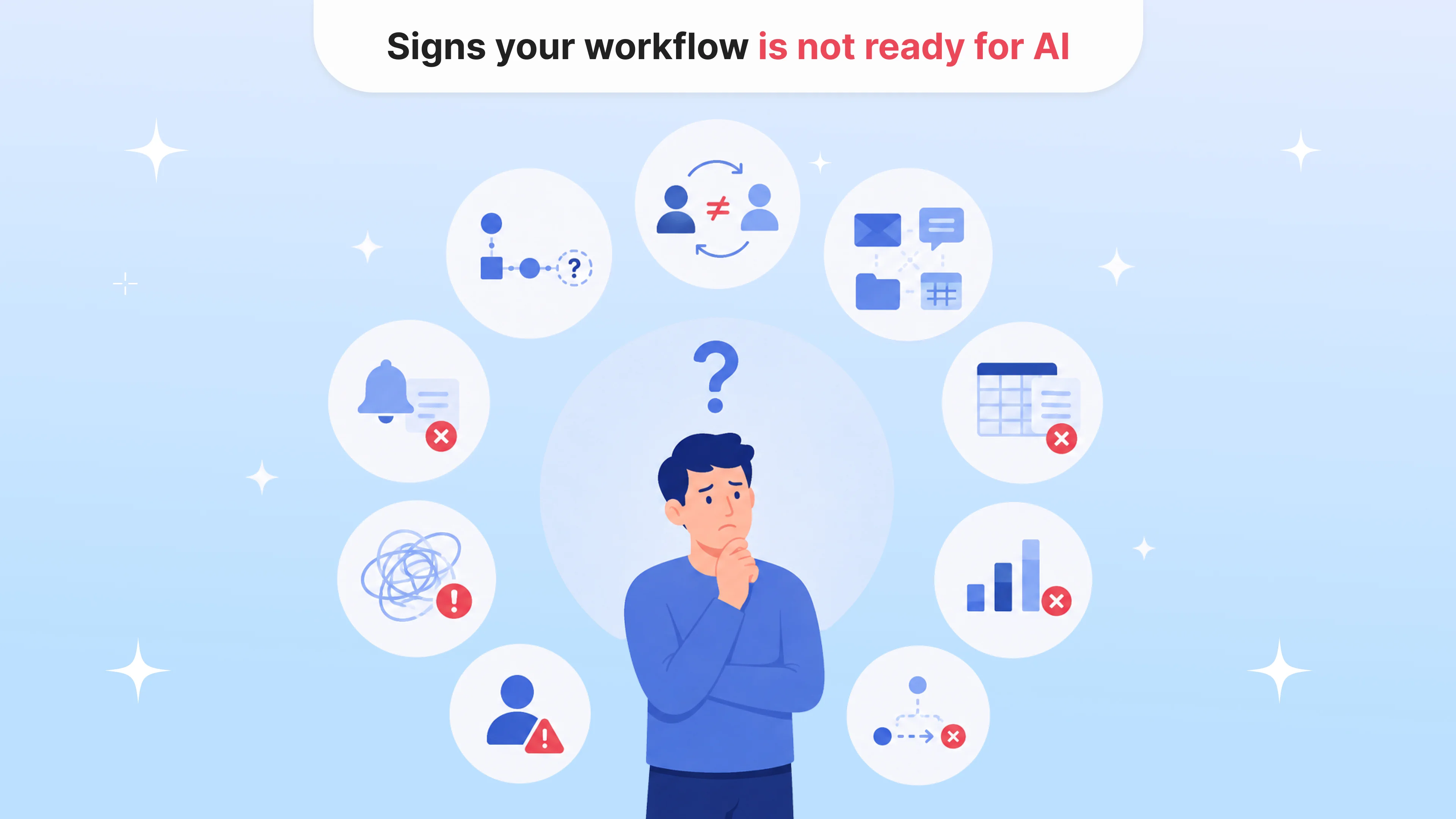
Some workflows are poor candidates for AI implementation in their current state.
Your workflow may need redesign first if:
no one can clearly explain the process end to end;
different team members handle the same task differently;
important information lives across too many tools;
staff rely on spreadsheets or personal reminders;
exceptions are handled informally;
the next step is unclear after a task is completed;
there is no defined owner for review or escalation;
managers cannot see where work gets stuck;
success is not measured.
These are not AI problems. They are workflow problems.
Adding AI before solving them can make the process more confusing. Teams may not trust the output, may not know who should review it, or may create new workarounds around the AI system.
Workflow redesign for AI: what needs to change
Workflow redesign does not mean rebuilding the entire company process from scratch. It means making the process clear enough for AI to support it safely and usefully.
A redesigned workflow should define:
what triggers the workflow;
what information AI can access;
what AI should produce;
what action follows the AI output;
who reviews low-confidence or sensitive cases;
which cases must be escalated;
where data should be stored;
how actions are logged;
how performance is measured.
For example, if AI summarizes patient intake forms, the workflow should define who reviews the summary, what happens if information is missing, which cases go to scheduling, and which require clinical review.
If AI classifies support messages, the workflow should define which requests are administrative, which are billing-related, which need clinical escalation, and which responses require approval.
The value is not in the AI output alone. The value is in what the workflow does with it.
Where AI can help after redesign
Once the workflow is clear, AI can support many operational steps.
Intake and request triage
AI can classify incoming requests, identify missing information, route cases, and prepare summaries for staff. This can reduce manual review and help teams respond faster.
Document processing
AI can classify documents, extract key fields, detect incomplete files, summarize long documents, and route exceptions. This is useful in healthcare, insurance, legal, finance, logistics, HR, and other document-heavy operations.
Follow-up tracking
AI can help identify delayed next steps, missed follow-ups, inactive users, pending approvals, or cases that need attention.
Internal knowledge support
AI can help staff search SOPs, policies, playbooks, and internal guidance, especially when approved sources and access controls are clearly defined.
Reporting and bottleneck visibility
AI can organize workflow data into summaries or dashboards that show where delays happen, which cases require review, and where manual work is still concentrated.
In each case, AI becomes useful because the workflow has clear logic around what should happen next.
What happens when companies skip workflow redesign
When companies skip workflow redesign, AI implementation often creates three problems.
First, the AI output becomes disconnected from action. Teams get summaries, drafts, classifications, or insights, but still need to manually decide what to do with them.
Second, responsibility becomes unclear. If AI flags a case, who owns the review? If it drafts a response, who approves it? If it routes a request incorrectly, who catches the mistake?
Third, the company struggles to measure value. If the workflow was not mapped before implementation, it becomes hard to prove whether AI reduced time, improved quality, lowered manual work, or improved visibility.
This is why some AI projects feel impressive during demos but disappointing in daily operations.
The demo shows the feature. The workflow reveals the value.
Human review should be designed, not added later
In healthcare, legal, insurance, fintech, HR, and other regulated or sensitive operations, human review cannot be an afterthought.
Teams need to define what AI can do alone, what it can suggest, what needs approval, and what must be escalated.
This is especially important when workflows involve patient communication, clinical context, legal interpretation, compliance decisions, financial approvals, fraud review, or employment-related actions.
A safe AI-supported workflow should include:
role-based access;
review queues;
escalation rules;
confidence thresholds;
audit trails;
source references;
feedback loops;
clear ownership.
These safeguards are not just compliance details. They are what make AI usable in real operations.
How to redesign a workflow before AI implementation
A practical redesign process can start with five steps.
1. Map the current workflow
Document how the process works today, including systems, handoffs, manual steps, delays, exceptions, and workarounds.
2. Identify the real bottleneck
The bottleneck may not be where leaders expect. It may be missing information, unclear ownership, duplicated data entry, manual routing, delayed review, or poor visibility.
3. Define the AI role
Decide whether AI should summarize, classify, extract, route, draft, flag, search, or report. The role should be narrow and connected to a specific action.
4. Design human review
Define which outputs need review, who reviews them, when escalation happens, and what AI should never handle independently.
5. Measure before and after
Choose simple metrics: time saved, fewer manual steps, faster routing, fewer missed follow-ups, lower backlog, better completion rates, or improved visibility.
This keeps AI implementation grounded in operational value.
When AI implementation is worth the investment
AI implementation is worth the investment when the workflow is repetitive, measurable, and important enough to improve.
It is especially useful when teams spend time:
reviewing similar documents;
answering repeated questions;
routing requests manually;
tracking follow-ups in spreadsheets;
searching across multiple systems;
summarizing long notes or messages;
checking for missing information;
preparing reports manually.
But even then, AI should not be the first step. Workflow clarity should come first.
A good AI implementation does not simply add automation. It changes how work moves.
From AI decoration to operational value
AI can make operations faster, clearer, and more scalable. But only when it is connected to a workflow that has been designed to use it.
Without workflow redesign, AI often becomes expensive decoration: a tool that looks modern, produces outputs, and creates excitement, but does not meaningfully change how work gets done.
For founders, CTOs, product leaders, and operations teams, the real opportunity is not adding AI to existing processes exactly as they are. It is redesigning the process so AI can reduce manual work, support human review, and move the right information to the right place at the right time.
The better question is not “Where can we add AI?”
It is: “Which workflow should we redesign so AI can actually create value?”
Faq
Why does AI implementation fail?
+AI implementation often fails when companies add AI to unclear or broken workflows. If the process has no clear owner, rules, next steps, review logic, or success metrics, AI outputs may not create real operational value.
What is workflow redesign for AI?
+Workflow redesign for AI means restructuring a process so AI can support it safely and effectively. This includes defining inputs, outputs, human review, escalation rules, system integrations, and measurable outcomes.
Should companies redesign workflows before choosing an AI tool?
+Yes. Teams should understand the workflow first before choosing or building an AI tool. Otherwise, they may select technology that does not fit the real operational problem.
What workflows are good candidates for AI automation?
+Good candidates are repetitive, measurable, and connected to clear actions. Examples include intake triage, document processing, follow-up tracking, internal knowledge search, support request routing, and operational reporting.
Does AI replace workflow automation?
+No. AI should usually work together with workflow automation. AI can summarize, classify, draft, extract, or flag information, while workflow automation moves tasks, triggers actions, and manages review steps.
How can companies measure AI implementation success?
+Success can be measured through reduced manual review time, faster routing, fewer missed follow-ups, lower backlog, fewer repeated questions, better completion rates, or improved workflow visibility.

Tell us about your project
Fill out the form or contact us

Tell us about your project
Thank you
Your submission is received and we will contact you soon
Follow us