
The AI Automation Audit: How to Find the 3 Workflows Worth Automating First
- What is an AI automation audit?
- Why companies need an AI opportunity assessment before building
- Why “the first three workflows” matter
- What an AI automation audit should evaluate
- Examples of workflows worth auditing
- How to score AI automation opportunities
- The difference between automation consulting and tool selection
- What the final audit output should include
- From AI ideas to an automation roadmap
Most companies do not have a shortage of AI ideas; they have too many of them. A founder wants to automate customer support, a COO wants to reduce manual reporting, a product leader wants to add an AI assistant, a finance team wants faster document processing, and leadership wants AI on the roadmap because competitors are already talking about it.
The problem is not interest. The problem is prioritization. When every workflow looks like a possible AI opportunity, teams risk starting with the wrong one: the process that sounds exciting but is too risky, too unclear, too poorly integrated, or too hard to measure. That is how AI projects become expensive experiments instead of operational improvements.
An AI automation audit helps companies avoid this mistake. Instead of asking “Where can we add AI?”, an audit asks a better question: “Which three workflows are actually worth automating first?”
What is an AI automation audit?
An AI automation audit is a structured review of business workflows to identify where AI can reduce manual work, improve speed, increase visibility, and support better operations. It is not just a technical assessment. It is also an operational assessment.
A useful audit looks at how work actually happens: which teams are involved, what systems are used, where information gets stuck, which tasks are repetitive, which decisions need human review, and which workflows create the highest cost when they break down.
The goal is not to create a long list of possible AI ideas. The goal is to find the few workflows where automation is realistic, safe, measurable, and valuable. For executives, founders, and COOs, this matters because AI implementation should not begin with a tool. It should begin with a workflow automation audit that shows where AI can create the clearest return.
Why companies need an AI opportunity assessment before building
Many AI projects fail because teams start with a solution before they understand the workflow. They chose a chatbot before mapping customer support. They built a document AI tool before defining review rules. They add an internal assistant before cleaning up knowledge sources. They automate reporting before understanding where data comes from.
The result is often partial automation. AI produces summaries, drafts, classifications, or extracted data, but staff still have to manually move work forward.
An AI opportunity assessment helps prevent this by asking practical questions before development starts: Is this workflow repetitive enough? Is the input available and usable? Does the workflow have a clear owner? What action should follow the AI output? Where does human review need to stay? Can improvement be measured? Is this workflow important enough to justify investment?
These questions help teams separate interesting AI ideas from strong automation candidates.
Why “the first three workflows” matter
Trying to automate too much at once is one of the fastest ways to slow an AI initiative down. Executives may want a broad transformation. Founders may want AI across the product. COOs may want to fix several operational bottlenecks at the same time. But the best starting point is usually smaller: identify three workflows worth automating first.
Three are enough to compare value, risk, and feasibility. It gives leadership options without creating an unfocused roadmap. It also helps teams avoid putting all their energy into one idea before they understand whether a better use case exists.
A strong first workflow should meet three conditions: it creates repeated manual work, has clear operational or business impact, and can be improved without removing necessary human control. The first AI automation project should not be the flashiest one. It should be the one most likely to create measurable value.
What an AI automation audit should evaluate
A good audit should look beyond surface-level productivity. It should evaluate workflows across several dimensions.
1. Manual effort
The audit should identify where people spend time on repetitive tasks: reviewing documents, copying data, answering repeated questions, preparing reports, checking for missing information, routing requests, or tracking follow-ups. Manual effort matters because it often reveals where teams are quietly losing capacity.
2. Workflow frequency
A task that happens once a month may not be worth automating first. A task that happens hundreds or thousands of times a month may be a much stronger candidate. Frequency helps estimate potential ROI.
3. Business impact
Some manual work is annoying but not strategic. Other manual work slows revenue, onboarding, customer experience, compliance, or delivery. The audit should ask what happens if this workflow stays slow.
4. Risk level
Not every workflow is safe to automate in the same way. Some tasks can be automated almost fully. Others need human review, escalation rules, source references, access controls, or audit trails. Risk does not always mean “do not automate.” It means “design the workflow carefully.”
5. Data readiness
AI needs usable input. That input may be documents, forms, messages, system records, transcripts, emails, tickets, or internal knowledge. If data is scattered, incomplete, inconsistent, or inaccessible, the workflow may need preparation before automation.
6. Integration needs
AI is useful only when its output connects to the systems where work happens. An audit should identify whether the workflow needs integration with a CRM, EHR, ERP, billing system, support platform, document storage, scheduling tool, internal dashboard, or product backend.
7. Human review
The audit should define where humans must remain in control. This is especially important in healthcare, legal, fintech, insurance, HR, logistics, education, and other regulated or sensitive operations. Human review should be designed into the workflow, not added later as a patch.
8. Measurability
A workflow is a better automation candidate when success can be measured. Useful metrics may include time saved, fewer manual steps, faster routing, lower backlog, fewer missed follow-ups, faster document processing, improved completion rates, or better visibility. If the team cannot measure the before-and-after difference, it will be harder to prove value.
Examples of workflows worth auditing
An AI automation audit can be useful across different industries and departments.
Document-heavy workflows
Many teams spend hours reviewing PDFs, forms, contracts, claims, invoices, certificates, reports, or scanned documents. AI may help classify documents, extract key fields, detect missing information, summarize content, and route exceptions.
Intake workflows
Intake appears in healthcare, legal, insurance, financial services, HR, education, and B2B services. AI can help classify requests, check completeness, summarize cases, and route them to the right team.
Customer or patient support
Support teams often answer repeated questions, triage requests, and search for context across multiple systems. AI can help draft low-risk responses, summarize conversation history, route issues, and identify escalation needs.
Internal knowledge workflows
Teams often lose time searching policies, SOPs, playbooks, product documentation, or compliance guidance. AI assistants can help staff find approved information faster, especially when sources and permissions are clearly defined.
Follow-up and task tracking
Missed follow-ups create operational risk in sales, healthcare, insurance, legal, customer success, and project management. AI can help detect delayed next steps, summarize status, and surface cases that need attention.
Reporting workflows
Many managers still depend on manual reporting, copied data, and spreadsheet-based updates. AI can help summarize operational activity, detect patterns, and make bottlenecks easier to see.
How to score AI automation opportunities
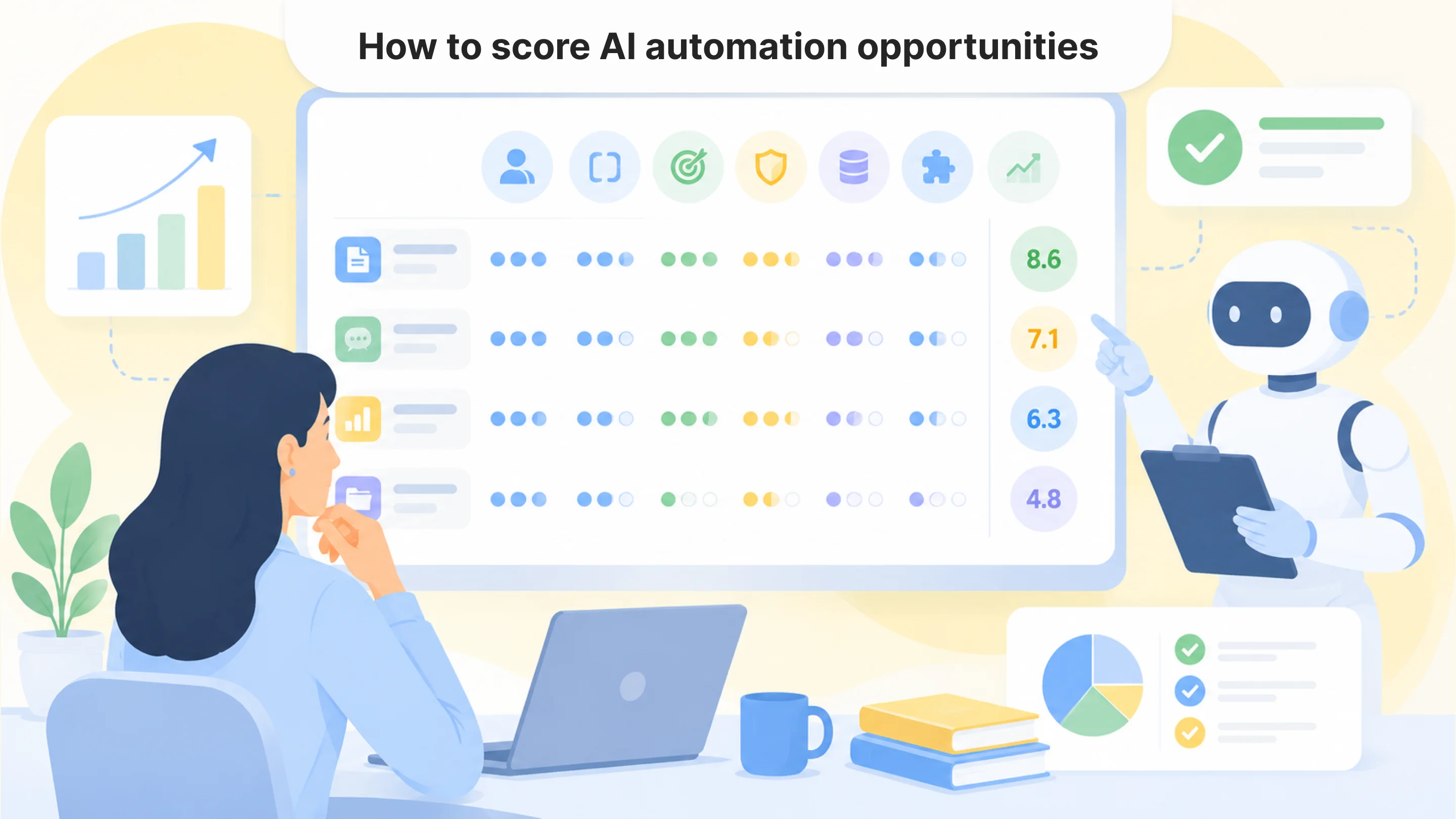
A practical audit should not stop at ideas. It should rank workflows. One simple scoring model can evaluate each workflow across five areas: manual effort, business impact, workflow frequency, feasibility, and risk level.
A workflow with high manual effort, high frequency, clear business impact, manageable risk, and available data is usually a strong automation candidate. A workflow with unclear ownership, poor data, high risk, and weak measurability may need redesign before automation.
This scoring step is important because it turns AI planning into a decision process. Instead of choosing based on enthusiasm or pressure, leadership can choose based on evidence.
The difference between automation consulting and tool selection
Many companies think they need help choosing an AI tool. Sometimes they do. But often, they first need help understanding which workflow deserves automation at all.
Automation consulting is not only about recommending software. It should help leadership answer deeper questions: Which workflows are wasting the most time? Which processes create the highest operational cost? Where can AI safely reduce manual work? Which workflows need redesign before automation? Which systems need to be connected? Which use cases should wait? What should be built, bought, integrated, or customized?
This is especially important for companies that already use several tools but still depend on manual work between them. The problem may not be the absence of software. The problem may be that the workflow is not connected.
What the final audit output should include
A useful AI automation audit should give leadership a clear next step. The final output should include a mapped view of current workflows, the main manual bottlenecks, workflows ranked by automation potential, the top three workflows worth automating first, data and integration requirements, risk and human review considerations, expected business impact, recommended next steps, and whether each workflow needs automation, integration, redesign, or custom development.
This helps executives, founders, and COOs move from AI ambition to a practical roadmap.
From AI ideas to an automation roadmap
AI implementation should not begin with a guess. It should begin with a structured look at how work happens today, where manual effort is concentrated, which workflows create the most friction, and where AI can realistically help.
An AI automation audit gives leadership a practical way to make that decision. It narrows dozens of possible AI ideas into a focused roadmap and identifies the three workflows most worth automating first.
For executives, founders, and COOs, this matters because AI implementation should not begin with a tool. It should begin with a workflow automation audit that shows where AI can create the clearest return and whether the next step should be integration, workflow redesign, or custom AI automation services.
Faq
What is an AI automation audit?
+An AI automation audit is a structured review of company workflows to identify where AI can reduce manual work, improve speed, support human review, and create measurable business value.
Why should companies do an AI audit before implementation?
+An audit helps companies avoid starting with the wrong AI project. It shows which workflows are realistic, valuable, safe, measurable, and ready for automation.
What workflows are good candidates for AI automation?
+Good candidates are repetitive, frequent, measurable, and connected to clear business impact. Examples include document processing, intake, support triage, internal knowledge search, follow-up tracking, and reporting.
What is the difference between an AI automation audit and an AI strategy?
+An AI strategy is usually broader and may cover long-term goals, technology direction, governance, and product vision. An AI automation audit is more practical and workflow-focused. It identifies where AI should be applied first.
Who needs an AI automation audit?
+Executives, founders, COOs, and operations leaders may need an audit when they want to use AI but are unsure which workflows to automate, which tools to choose, or how to prioritize implementation.
What should the result of an AI automation audit include?
+The result should include mapped workflows, bottlenecks, ranked automation opportunities, the top three workflows to automate first, integration needs, risk considerations, and recommended next steps.

Tell us about your project
Fill out the form or contact us

Tell us about your project
Thank you
Your submission is received and we will contact you soon
Follow us