

Tool Sprawl in Healthcare Operations: Why More Software Does Not Mean Less Work
- Why does healthcare tool sprawl happen
- The hidden work behind checking the system
- Why does more software not always reduce work?
- Disconnected healthcare tools make visibility harder
- Where healthcare software integration can help
- When integration is better than another tool
- The human cost of tool sprawl
- How to tell whether your stack is creating manual work
- What an automation-ready healthcare stack looks like
- From tool sprawl to connected operations
Healthcare teams usually do not set out to create tool sprawl. It happens gradually, often for understandable reasons.
A scheduling problem appears, so the organization adds a scheduling tool. Intake takes too much staff time, so someone introduces digital forms. Patient messages become harder to manage, so the support team adopts a ticketing platform. Billing needs more structure. Operations starts tracking exceptions in spreadsheets. Leadership asks for dashboards. A CRM is added to manage outreach, relationships, or follow-ups.
Each decision can make sense on its own. The difficulty starts when all of these tools need to support one continuous workflow.
A patient request may begin in a portal, move through a support inbox, require information from the EHR, depend on billing status, and end with a scheduling or follow-up task somewhere else. A claims issue may involve documents, status updates, notes from different teams, and manual reminders. A care coordination workflow may touch several systems before anyone has a full picture of what needs to happen next.
This is what healthcare tool sprawl looks like in practice. It is not simply the fact that a company has many tools. It is a fact that those tools solve individual tasks, while people still have to coordinate the workflow by hand.
For operations leaders, CTOs, practice managers, and founders, this can be frustrating because the organization may already be paying for healthcare operations software that was supposed to make work easier. Yet staff still spend their day checking systems, copying information, asking for updates, and making sure the next person has enough context to act.
More software can help. But when the stack is disconnected, it can also spread the work across more places.
Why does healthcare tool sprawl happen
Healthcare work is fragmented by nature. Patient intake, scheduling, clinical documentation, billing, claims, care coordination, compliance, support, and reporting often involve different teams, different systems, and different rules.
Because of that, software is usually added around individual problems. One department needs a better way to manage messages. Another needs cleaner documentation. Another needs visibility into payments or insurance status. Another needs a spreadsheet because the official system does not show the exceptions clearly enough.
Over time, the organization ends up with a stack of tools that may all be useful in their own lane. The EHR stores clinical information. The CRM tracks outreach or relationships. The support platform manages questions. The billing tool holds payment or insurance details. The scheduling system controls availability. A spreadsheet tracks the cases that do not quite fit anywhere else.
None of these systems has to be “bad” for the workflow to feel broken. The issue is often the space between them.
Staff becomes the bridge. They learn where information usually lives, which status field is reliable, who needs a manual reminder, and which spreadsheet contains the version of the truth people actually use. These habits become part of daily work, even if no one ever designed them intentionally.
That is why healthcare tool sprawl can be hard to spot early. The tools may be functioning, but the workflow still depends on human memory and manual coordination.
The hidden work behind checking the system
A lot of operational work hides behind small, ordinary phrases.
“I’ll check the chart.”
“Let me look at billing.”
“I’ll confirm it with scheduling.”
“I’ll see whether support has already replied.”
“I need to update the spreadsheet first.”
Each step may take only a few minutes. The problem is the repetition. A staff member may need to open the EHR, check a scheduling platform, review billing status, search for a document, read a support ticket, and update a separate tracker before one case can move forward.
None of this looks dramatic from the outside. Inside the workflow, it creates drag.
Context gets scattered. People repeat checks because they do not fully trust one source. Updates get missed. Managers struggle to see where delays are happening. Patients may be asked for information they already provided. A small handoff problem becomes a bigger service problem.
Healthcare operations software should reduce this kind of friction. When tools are disconnected, staff still carry the coordination burden; only now they do it across more systems.
Why does more software not always reduce work?
Adding another platform can feel like the quickest answer when a team is overloaded. A new product may promise smarter reporting, faster patient communication, easier intake, better document handling, or more automation.
Sometimes it does improve one part of the process. But healthcare work rarely stays inside one department or one system.
A patient communication tool may help the support team respond faster, but if it does not connect to scheduling or billing, staff still need to move information manually. A document tool may extract useful fields, but if those fields do not reach the right record, someone still has to copy them. A dashboard may look polished, but if the data behind it depends on manual updates, leaders may not trust it.
Every new tool also adds another place where information can live, another interface to learn, another vendor to manage, and another potential gap between systems.
The question is not whether healthcare teams should avoid new software. They cannot. The question is whether a new tool reduces the full workflow burden or only improves one isolated step.
A task can be automated while the process around it stays manual. That is usually where tool sprawl starts to feel expensive.
Disconnected healthcare tools make visibility harder
Tool sprawl affects more than frontline work. It also weakens visibility for managers and leadership.
When information is spread across several systems, no single platform shows the full state of the workflow. One tool may show open tickets. Another may show appointments. Another contains the billing status. A spreadsheet tracks exceptions. A shared inbox holds follow-up messages. Each system tells part of the story, but none of them explains the whole process.
That makes reporting harder than it should be. Leaders may want to know why intake is slow, where claims are stuck, how many patient follow-ups were missed, or what is driving support volume. The answer may require pulling information from several tools and then asking people to explain what the numbers do not show.
Disconnected healthcare tools also make bottlenecks harder to diagnose. A team may know that work is delayed, but not whether the delay comes from scheduling, missing documents, billing verification, duplicate data entry, manual review, or unclear ownership.
This matters for budgeting and staffing. A team may ask for more headcount because the workload feels unmanageable, while part of the real issue is that people are spending too much time reconciling systems. Another team may ask for a new tool when the better investment would be healthcare software integration between the systems already in place.
Where healthcare software integration can help
Healthcare software integration is valuable when it reduces the manual coordination created by disconnected systems.
That may mean connecting intake forms with scheduling, linking support requests to patient records, syncing billing status with the support workflow, or giving managers a clearer view of open cases across tools. The point is not to connect systems for the sake of technical neatness. The point is to help work move with less manual effort.
In some cases, traditional integration is enough. Systems need to exchange data, trigger tasks, or keep records updated.
In other cases, AI can help because the work is not just about moving data from one field to another. Staff may need to interpret a patient request, summarize information from several sources, classify a case, extract details from documents, or flag missing information before someone reviews the next step.
For example, AI may help categorize incoming messages as billing-related, scheduling-related, clinical, administrative, or urgent. It may summarize notes and documents before a human reviews the case. It may identify missing intake fields, flag duplicate requests, or help operations teams understand what is happening across disconnected tools without forcing staff to open each one manually.
This is where healthcare AI integration can become useful. The organization may not need another standalone product. It may need a better way for existing systems, data, and workflows to work together.
For teams deciding whether to connect, automate, or redesign parts of their stack, AI automation services can support workflow mapping, integration planning, human review logic, and production-ready automation.
When integration is better than another tool
When a workflow feels messy, buying another tool can seem easier than fixing the connections between existing ones. Sometimes a new tool is the right answer, especially if the current system no longer fits the organization’s needs.
In many healthcare operations, though, the better first step is to identify what exactly is broken.
If staff cannot see patient status across systems, another dashboard may not help unless the data behind it is connected. If support keeps asking billing for updates, another communication tool will not solve much unless billing status flows into the support workflow. If scheduling delays happen because intake information is incomplete, more messaging will not fix the missing data problem.
Integration is often the better path when the existing systems are necessary, but the workflow between them is weak. This is common in healthcare because core tools such as EHRs, billing platforms, scheduling systems, and patient communication platforms are deeply embedded in daily operations. Replacing them can be expensive, disruptive, and risky.
Better integration can create more value than another platform when the main friction is not the tool itself, but the handoff between tools.
The decision should not be framed as “new tool or no new tool.” A better question is: What would reduce the manual coordination around this workflow?
The human cost of tool sprawl
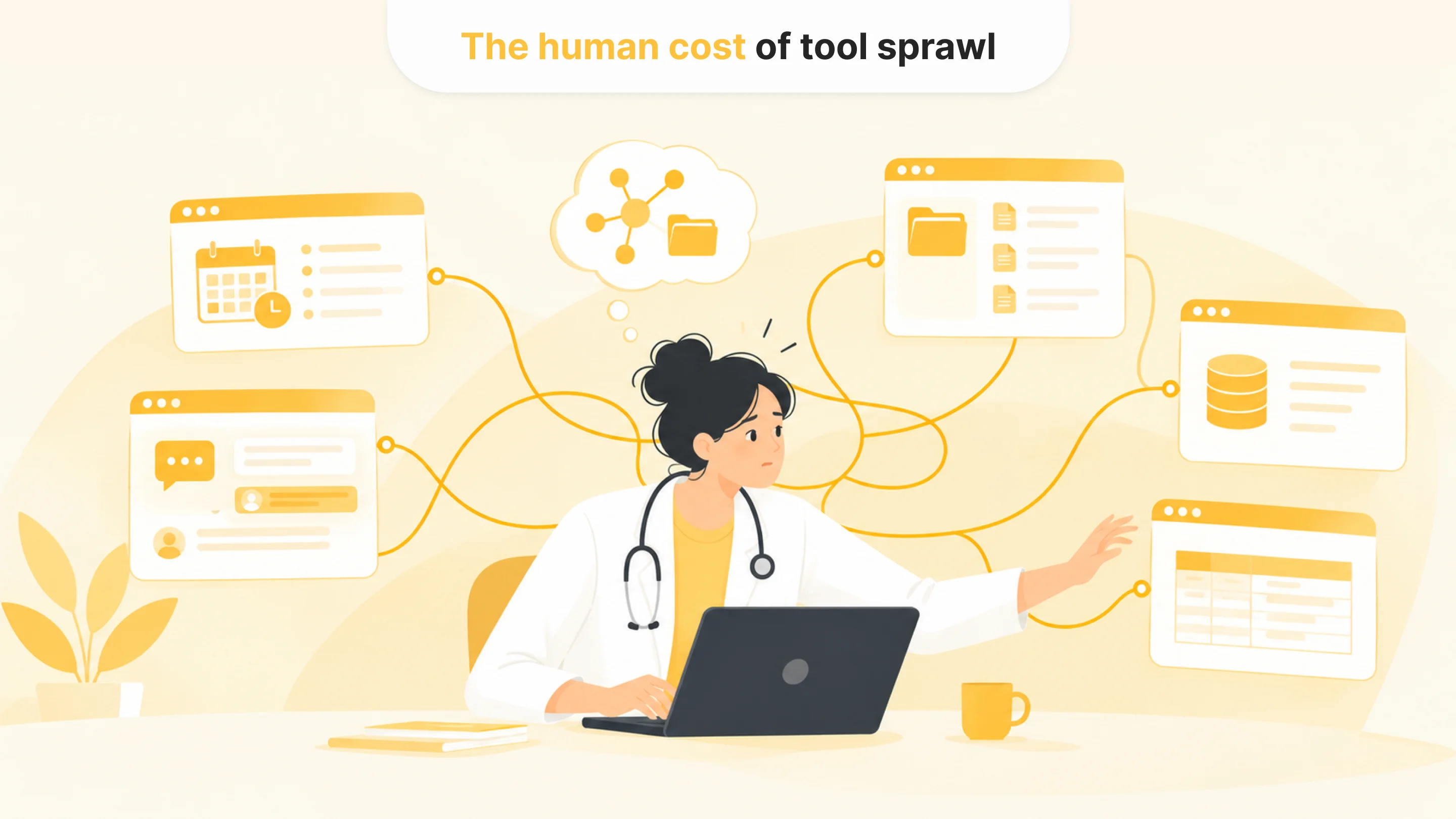
Tool sprawl is often discussed as an IT issue or a budget issue. For staff, it feels like daily friction.
People working across disconnected systems spend mental energy remembering where information lives, which source is current, which team owns the next step, and what still needs to be updated manually. That kind of coordination is tiring because it requires attention but does not always feel like meaningful work.
It also makes training harder. New employees need to learn more than the official tools. They need to learn the unofficial workarounds: which spreadsheet matters, who to message when a case gets stuck, which status field is often outdated, and where to look when the system does not show the whole story.
Over time, the workflow begins to depend on individual knowledge. The process works because certain people know how to make it work. When those people are unavailable, move roles, or leave the company, the gaps become harder to ignore.
For leadership, this is not just an inconvenience. A workflow that depends on memory and manual coordination is harder to scale, harder to audit, and harder to improve.
How to tell whether your stack is creating manual work
A healthcare tool sprawl audit should start with the real workflow, not the software list.
Counting tools are less useful than watching how work actually moves. How many times does a person need to move information from one system to another? How often do staff check multiple systems before taking action? Where does information get copied, verified, recreated, or corrected? Which steps depend on spreadsheets, shared inboxes, manual messages, or someone’s memory?
It helps to audit one workflow at a time: patient intake, scheduling, support, claims follow-up, care coordination, billing, document review, or reporting. For each one, teams can map which systems are involved, where information enters, where it gets copied, where people wait for updates, and where delays usually appear.
The patterns usually become visible quickly. Some tools are useful but isolated. Some workflows depend on duplicate entry. Some teams use spreadsheets because the official systems do not show the full picture. Some handoffs fail because no one owns the transition between systems.
Once those gaps are visible, the next step becomes clearer. The workflow may need better integration, cleaner data, clearer ownership, AI-supported routing, fewer tools, or a redesigned process. Another platform should be one possible answer, not the default.
What an automation-ready healthcare stack looks like
An automation-ready stack does not have to be perfect. Most healthcare organizations will never have a perfectly clean system environment, and waiting for one can delay useful improvements for years.
The stack does need enough clarity to support controlled automation.
Leaders should know which systems are involved in the workflow, where reliable data lives, what information can be accessed, which actions can be triggered, who reviews outputs, and how performance will be monitored after launch. They should also understand which gaps are integration problems and which ones are process problems.
AI can support this kind of environment when it has access to approved data, clear instructions, defined review points, and a practical role in the workflow. It should not become another disconnected layer that staff have to check. It should reduce the coordination burden around the existing tools.
Healthcare tool integration and AI integration healthcare efforts work best when they focus on specific operational outcomes: fewer manual handoffs, faster routing, clearer status, better review, fewer missed follow-ups, and less time spent searching for context.
From tool sprawl to connected operations
Healthcare teams often do not need another tool as much as they need the tools they already use to work together.
That does not mean every system should be replaced or every workflow should be automated. Some tools are necessary. Some manual review will always remain. Some processes need clearer ownership before technology can help.
But when staff spend too much time moving between systems, copying information, checking status, and coordinating handoffs, the stack is creating work instead of reducing it.
For operations leaders, CTOs, practice managers, and founders, the first step is to make that hidden work visible. Once the team can see where healthcare tool sprawl creates manual effort, it becomes easier to decide whether the answer is integration, automation, process cleanup, or a smaller software stack.
More software is not the same as better operations. Better operations happen when tools support the workflow end to end, and people no longer have to act as the glue between disconnected healthcare systems.

Tell us about your project
Fill out the form or contact us

Tell us about your project
Thank you
Your submission is received and we will contact you soon
Follow us