
How to Identify the Documents That Are Worth Automating First
- Start with the work, not the document type
- Six questions that help identify good automation candidates
- Repetitive work is often a stronger signal than document volume
- Missing data can make automation less valuable than expected
- What happens after the document is processed?
- Review requirements can change the business case
- How to run a document workflow audit before choosing a tool
- Choose a manageable first workflow
- Automate the documents that create a clear operational opportunity
A healthcare operations team might process hundreds of intake forms each week, while its billing department struggles with far fewer, more complex claim attachments. Meanwhile, someone in compliance spends several days every month checking certificates and chasing missing documents.
All three workflows involve paperwork. All three take time. But they are not equally suitable for automation, and choosing the busiest queue does not necessarily lead to the best result.
This is where document automation projects can go wrong before development even begins. Teams see a growing backlog, assume AI will help, and start looking for a tool that can process the files. Only later do they discover that the documents vary too much, the information is unreliable, or employees still have to complete most of the work manually.
Identifying the documents worth automating requires a closer look at what happens to each file after it arrives. How frequently does the team perform the same task? What information needs to be extracted or checked? How many cases require judgment? And perhaps most importantly, what can the system actually do with the information once it has been processed?
For COOs, CTOs, and product leaders, answering these questions early can save months of implementation effort and prevent investment in automation that looks impressive during a demo but changes very little in daily operations.
Start with the work, not the document type
It is tempting to categorize automation opportunities by file type. Invoices, forms, claims, contracts, and reports are common candidates, so teams often begin by asking which of these they could process with AI.
The difficulty is that two organizations can handle the same type of document in completely different ways.
One company may receive standardized intake forms containing predictable fields. Another may collect intake information through handwritten scans, email attachments, and several outdated templates. Both processes involve forms, but their automation requirements are very different.
The same applies to contracts. Extracting renewal dates from agreements that follow a consistent structure may be relatively straightforward. Reviewing highly negotiated agreements with unusual terms and complicated obligations is a different problem entirely.
A document workflow audit should therefore begin with the actual tasks employees perform. If staff spend most of their time locating files, identifying document types, and copying clearly defined fields, automation may offer a useful improvement. If the work mainly involves interpretation, negotiation, or decisions that depend on missing context, AI may still help prepare information, but the scope needs to be more limited.
Understanding this distinction is especially useful during year-end planning. Our previous article on AI document workflow automation for Q4 backlogs explores how organizations can approach claims, forms, contracts, and reports as part of a broader automation strategy. The next question is which specific document queues deserve attention first.
Six questions that help identify good automation candidates
The best starting points tend to share several characteristics. Documents arrive regularly, employees follow recognizable processing steps, and the information can be connected to a clear operational action. The risks are also understood well enough to define appropriate review rules.
A practical document automation checklist should examine six factors:
Volume: How many documents does the team handle, and how much staff time do they consume?
Repetition: Do employees perform the same extraction, classification, or validation tasks for most documents?
Document consistency: Are the required fields reasonably predictable, even when layouts vary?
Missing or unreliable data: How often are files incomplete, unreadable, or inconsistent with existing records?
Downstream action: What happens once the document is processed, and can that next step be supported through integration?
Risk and review: What are the consequences of an incorrect output, and who needs to approve or correct it?
These questions work better together than individually.
High document volume may suggest a large opportunity, but the value can disappear if nearly every file requires extensive correction. A standardized document may be easy to process, but automation will have limited business impact if employees only handle a few each month. And a technically accurate extraction system will not necessarily save much time if someone still needs to copy its output into another platform.
The goal is to identify workflows where several favorable conditions overlap, rather than choosing a project because it has the largest backlog or the most obvious AI use case.
Repetitive work is often a stronger signal than document volume
Consider two backlogs.
The first contains a large collection of complex legal documents. Each file requires specialist interpretation; the structure varies significantly, and employees frequently need information that is not included in the document itself.
The second involves a smaller but recurring flow of insurance forms. Most arrive in recognizable formats, contain similar information, and need to be checked against a consistent set of administrative requirements.
The first backlog may look more urgent on a dashboard. Yet the second could offer a more practical starting point for automation because much of the manual effort follows a predictable pattern.
Employees might currently check identifiers, confirm required fields, match attachments with records, and route completed forms to the right queue. AI document processing could help prepare that information, while validation rules handle straightforward checks and staff review exceptions.
This does not mean complex documents should be excluded. AI can assist specialists by finding relevant clauses, preparing summaries, or locating supporting information. However, reducing document preparation time is a different objective from automating a decision, and the expected benefits should reflect that distinction.
For an initial project, a consistent administrative process is often easier to test, monitor, and improve than a workflow involving highly variable documents and significant judgment.
Missing data can make automation less valuable than expected
One of the most overlooked issues in document automation is the quality of the incoming information.
An AI model may be capable of extracting fields from a form, but that does not help much if the form is missing required information. A contract may contain a renewal date, but the relevant agreement version might be unclear. A claims attachment may be readable without including the identifiers needed to match it to the correct case.
Teams sometimes treat these problems as model accuracy issues when the real difficulty lies in the document submission process.
Before investing in automation, it helps to review a representative sample of files and identify recurring problems. Are documents missing entire pages? Do submitters use inconsistent templates? Are important values handwritten or difficult to read? Does information conflict with the organization's existing records?
Some of these issues can be managed through automated checks and exception handling. Others may be better addressed upstream by changing the intake form, making certain fields mandatory, standardizing submission requirements, or improving how attachments are collected.
A useful AI document processing checklist should distinguish problems the system can realistically solve from problems that require changes to the underlying process.
There is little value in building sophisticated extraction logic around a form that could be simplified or corrected at the point of submission.
What happens after the document is processed?
A document can be classified correctly, its fields extracted, and its content summarized without the workflow becoming significantly faster.
Imagine an insurance operations team introducing AI to extract information from claims attachments. The output is accurate, but employees still need to open another system, locate the claim, enter the extracted details, update the status, and notify the responsible reviewer.
The team has automated extraction. It has not automated the surrounding administrative work.
Before selecting a document automation project, operations leaders should map the next action. Does the extracted information need to update a record, trigger an approval request, create a task, notify another department, or support a human decision?
If the next step is clear and the required systems can be connected, document workflow automation becomes considerably more useful.
For example, incoming certificates could be classified, checked for required information, and routed for verification. Approved results could update the relevant compliance record. Incomplete documents would move to an exception queue with a clear reason for review.
The benefit comes from shortening the path between receiving the document and completing the operational task, not simply from producing extracted text faster.
This is also why integration planning should happen before tool selection. If a document-processing solution cannot connect with the systems employees already use, it may introduce another interface without removing the handoffs that created the backlog.
Companies evaluating these workflows can use AI automation services to assess integration requirements, define review logic, and determine where AI can reduce manual document handling within existing operations.
Review requirements can change the business case
The amount of human review a workflow needs has a direct effect on its automation potential.
Some routine administrative tasks can follow relatively straightforward rules. A system may classify a document, validate required fields, and route it to the correct team. When the document is incomplete or uncertain, an employee can review the exception.
Other processes need more substantial oversight. Documents that support clinical, legal, coverage, or significant financial decisions may require qualified reviewers regardless of how accurately AI extracts the information.
That does not eliminate the value of automation. Preparing a contract for legal review or organizing claims documentation can still reduce repetitive work. But the project should be evaluated as an improvement to the review process, not as a replacement for it.
Operations leaders should also consider how reviewers will work with the system. Can they see the original document alongside extracted fields? Are uncertain values highlighted? Can they correct information without switching tools? Will corrections and approvals be recorded?
If reviewing AI output is more cumbersome than processing the original document, the expected time savings may be much smaller than anticipated.
Defining review rules early gives teams a more realistic understanding of implementation costs, staffing requirements, and achievable improvements.
How to run a document workflow audit before choosing a tool
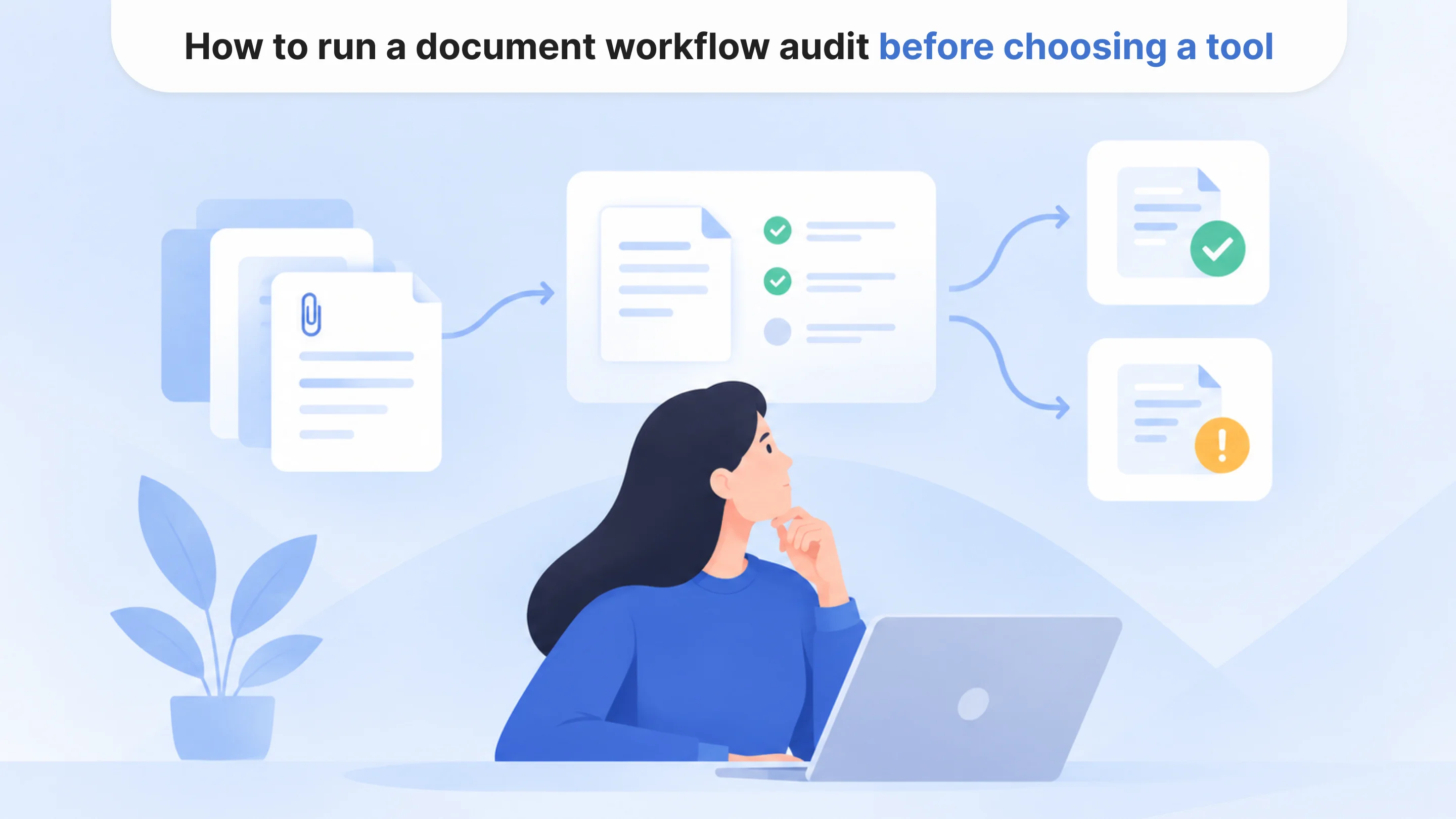
A document workflow audit does not need to begin with a lengthy technology assessment. An operations team can learn a great deal by following a sample of recent documents from arrival to completion.
For each workflow, examine how files enter the organization, who handles them, which information employees extract or verify, and where the document goes next. Pay particular attention to steps involving repeated data entry, manual status updates, missing attachments, or requests for clarification.
It is worth recording both ordinary cases and exceptions. A process that appears straightforward during a demonstration may behave very differently when documents arrive with unexpected formats, missing pages, or conflicting information.
The team should then compare potential workflows using the six criteria discussed earlier. A simple rating of low, medium, or high for manual effort, repetition, feasibility, and risk can be sufficient for an initial discussion, provided the ratings are supported by actual workflow observations.
Risk should not be treated as just another score that can be offset by high volume. A process with serious consequences for incorrect outputs may require additional controls regardless of its potential efficiency gains.
At the end of the audit, operations and technical teams should be able to explain what they want to improve, what a successful result would look like, and which part of the process AI is expected to support.
That is a much stronger starting point than selecting a document AI platform and looking for places to use it afterward.
Choose a manageable first workflow
For a first automation project, a well-defined process is usually more valuable than an ambitious one.
A team might begin with one category of intake forms, a particular claims attachment, or a recurring certificate-verification task. Keeping the scope narrow makes it easier to compare processing time, correction rates, review effort, and overall turnaround before and after implementation.
It also helps reveal unexpected problems. Perhaps the documents are less consistent than expected. Maybe integration with the case-management system is difficult. Or the AI handles routine files well, but exceptions require more staff attention than anticipated.
These findings are useful. They allow teams to adjust the workflow before expanding to additional document types or departments.
The checklist should help teams document where manual effort occurs, how predictable the workflow is, what information is missing, which systems need to connect, and what review rules apply. It also gives COOs and CTOs a shared basis for deciding which projects are ready for further investment.
Automate the documents that create a clear operational opportunity
Not every document backlog needs AI. Some can be reduced through better intake processes, cleaner data, simpler approval rules, or integration between existing systems. Others are genuine opportunities for AI-assisted classification, extraction, validation, and routing.
The documents worth automating first are generally those that arrive frequently, require repetitive handling, contain information that can be processed reliably, and support a clear next action. Their review requirements should also be understood before implementation begins.
For operations leaders, CTOs, and product teams, this approach makes automation planning more practical. Instead of trying to automate the largest or most complicated backlog, they can begin with a workflow where improvements are measurable and the operational risks are manageable.

Tell us about your project
Fill out the form or contact us

Tell us about your project
Thank you
Your submission is received and we will contact you soon
Follow us